

HCM template-based hire process for student workers
Human Capital Management (HCM) refers to a software application used to manage administrative data and processes for human resources. Template-Based Hire (TBH) in the HCM system is an electronic process that allows department preparers to enter and submit data to hire a new employee or add another assignment to an existing employee’s record in the system.
Below is the Template-Based Hire process for student workers:
- Visit my.rutgers.edu/portal.
- Select NetID, enter the NetID and Password.
- Select PeopleSoft Management.
- Then select Workforce Administration and from the drop-down menu select Template-Based Hire.
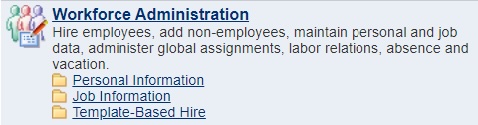
- Select Template-Based Hire.

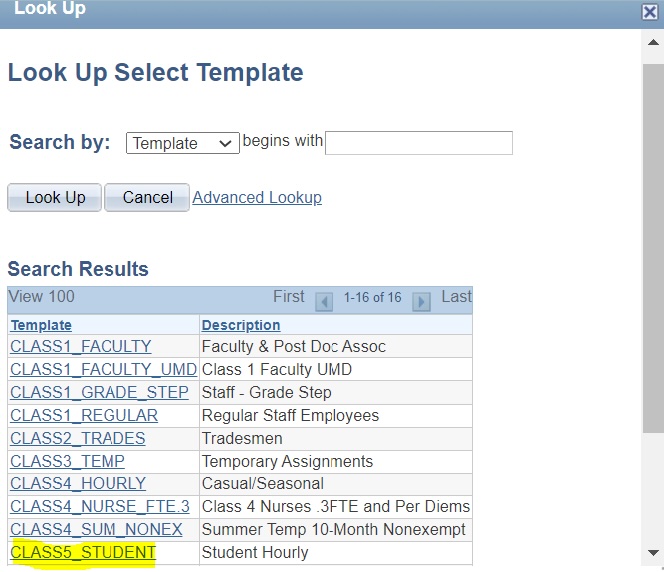
- Select Class 5_Student (Student Hourly).
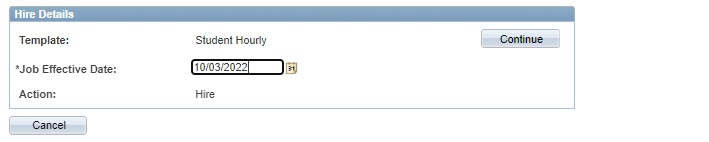
- Job Effective Date (Employee start date, please match date with the I-9 and the E-Verify).
- National ID will be Employee SSN.
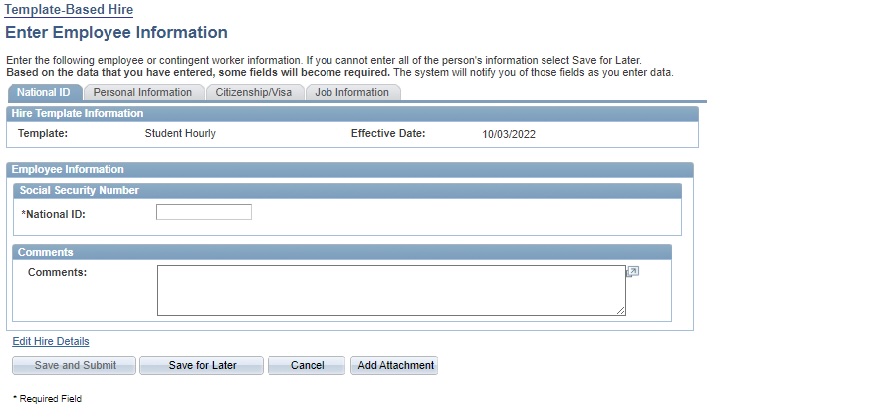
- Follow all the tabs and fill out the required information. Tabs are:
✓ Personal Information
✓ Citizenship Visa
✓ Job Information (Make sure to attach the offer letter)
✓ Template Status (Template Complete – Select “Yes”) - The data entered into the template is routed for review and approval by the department HR Approver. After 24 hours, you will be able to log in to HCM/PeopleSoft).
