

Capitalization and heading style guidelines on the Rutgers IT website
The Rutgers IT style guide largely calls for the use of “down style” — only capitalizing the first word and proper nouns — when writing titles, headlines, and headings on the website. Headings and subheadings generally call for Heading 4 and Paragraph formatting, respectively, while the text is bolded.
There are a few exceptions to those style choices. Review the situational guidelines listed below for capitalization and heading style on the website:
Newsroom stories
- Headlines: Use down style
- Subheadings: Use Paragraph formatting bolded with text in down style
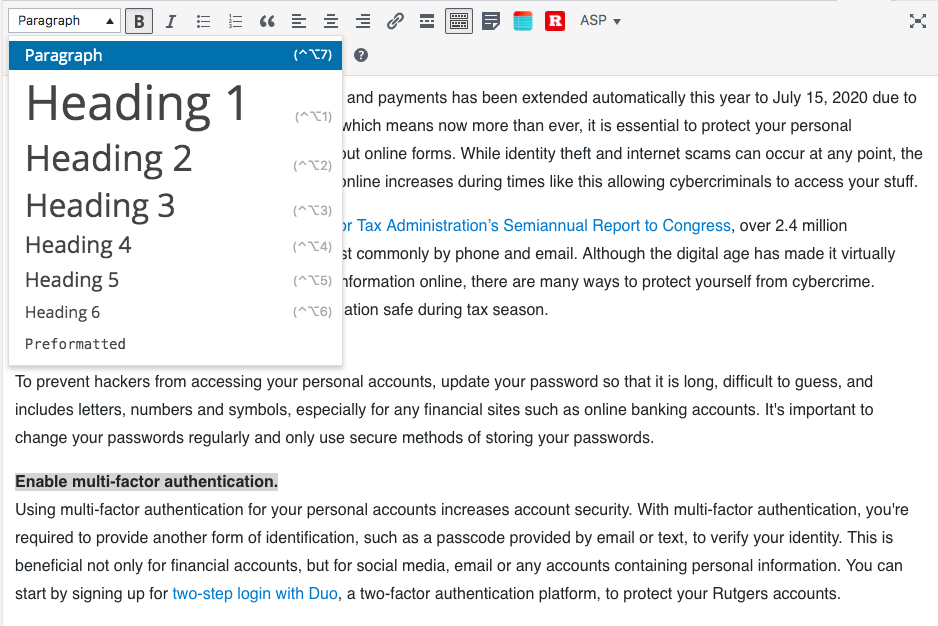
- Tags: Use all lower case unless proper noun (Examples: “antivirus software” “Webex”)
KB articles
- Titles: Use down style
- Headings: Use Heading 4 formatting bolded with text in down style

- Subheadings: Use Paragraph formatting bolded with text in down style
- Topics: Use up style (Example: “General Information”)
Pages
- Titles: Use down style unless the page is a prominent landing page. Then use up style (Example: “Help & Support”)
- Headings on Divi rows and sections: Use Heading 2 or Heading 3 formatting bolded with text in down style
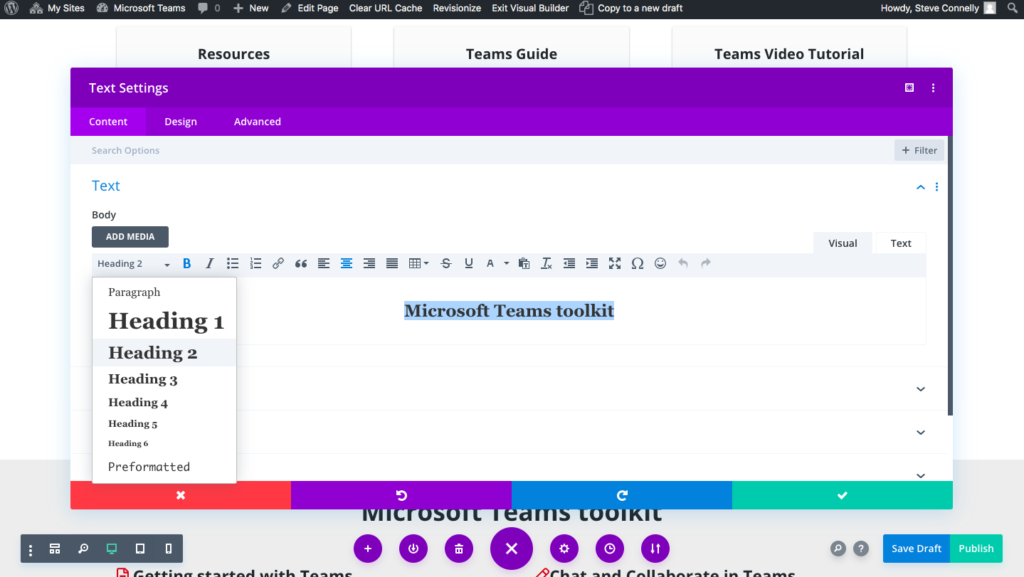
- Headings on text-heavy pages: Use Heading 4 formatting bolded with text in down style
- Subheadings: Use Paragraph formatting bolded with text in down style
- Card titles: Use down style unless there is a specific reason for a different style choice (Example: A card titled “Help & Support” linking to a page that uses up style “Help & Support”)
- Button titles:
- Use up style for any login buttons (Example: “LinkedIn Learning Login”)
- Use down style in other scenarios (Example: “Learn more”)
- Use standard View XXX documentation verbiage when linking to documentation (Example: “View LinkedIn Learning documentation” or “View all LinkedIn Learning documentation”)
